Step 1
Pin to your toolbar
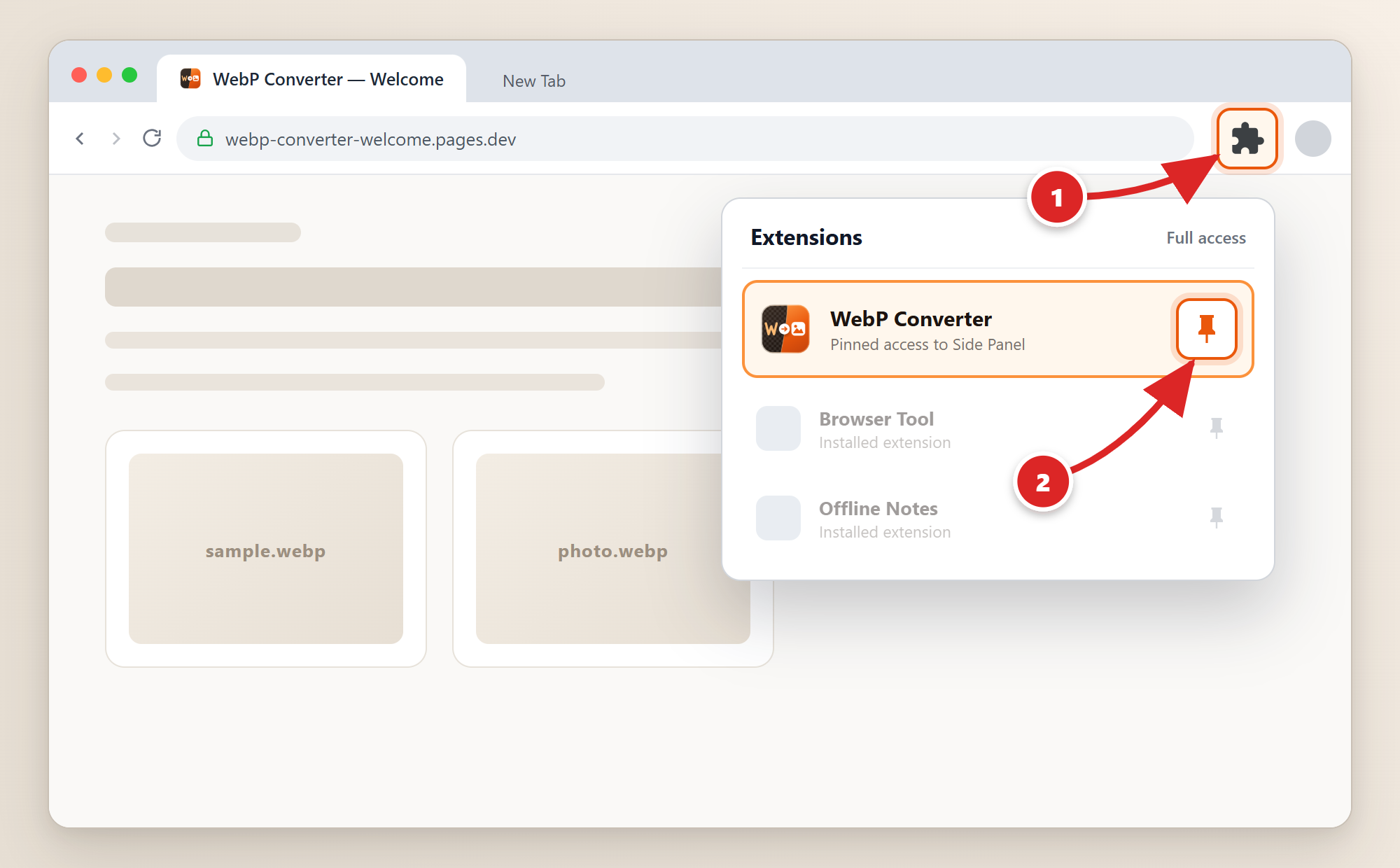
Click the Chrome Extensions puzzle icon (1), then click the pin icon next to WebP Converter (2):
 WebP Converter
Pin the icon to your Chrome toolbar once, then convert WebP files to JPG, PNG, or PDF anytime in the sidebar.
Click the Chrome Extensions puzzle icon (1), then click the pin icon next to WebP Converter (2):
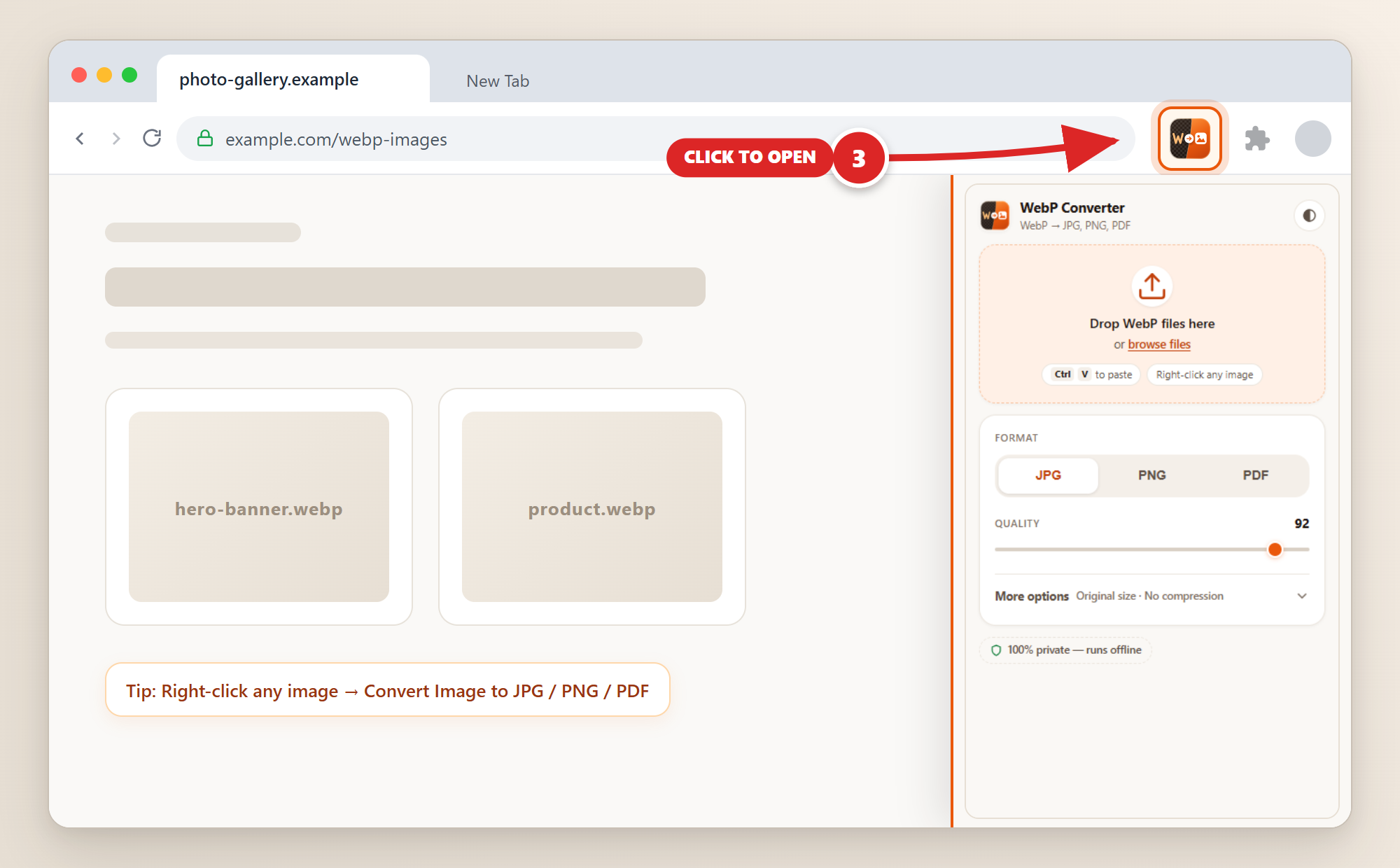
Click the pinned WebP Converter icon (3) to open the sidebar, then drop or paste your images: